Desk FT gives each client a portal with your logo and colours. A checklist of what you need, secure uploads, messages and invoices, on their phone or in their browser.
Made for bookkeepers and accountants. Also for tutors, coaches and designers →
 Or scan with your phone
The work is the easy part. Getting the slips, statements and answers out of your clients is what eats the week.
You ask for the same slips, statements and receipts every year, then chase them for weeks.
A checklist they tick offYour client sees exactly what's still missing, uploads it from their phone, and you're notified as each item is done.
Files arrive in five places: email, texts, a shared drive, a photo of a receipt.
One place for files and messagesDocuments and a private conversation live on their desk, next to the checklist, so nothing gets lost in an inbox.
Getting paid is one more thread to chase.
Invoices on the same deskCard through your own Stripe account, or Interac e-Transfer in Canada, with reminders when one is overdue. Desk FT takes no cut.
No templates to build, no setup call. Every client gets their own desk.
Choose Accountant / Bookkeeper and a desk type, like Personal tax return. The desk starts with a checklist your client can act on right away:
Plus a four-step timeline: Documents received → Return in preparation → Review call → Filed. Change any of it.
Add your logo, pick one of eight colours and write a welcome message. Your client sees your name and your brand, not ours.
On the free plan a small "Powered by Desk FT" line shows at the bottom. Pro removes it.
Send an email link or show a QR code. Your client signs in once and opens their desk in the Desk FT app or in a web browser, with nothing to install.
Before you invite anyone, preview the desk exactly as your client will see it.
One desk per client, in your colours. Everything you need from them, and everything they need from you.
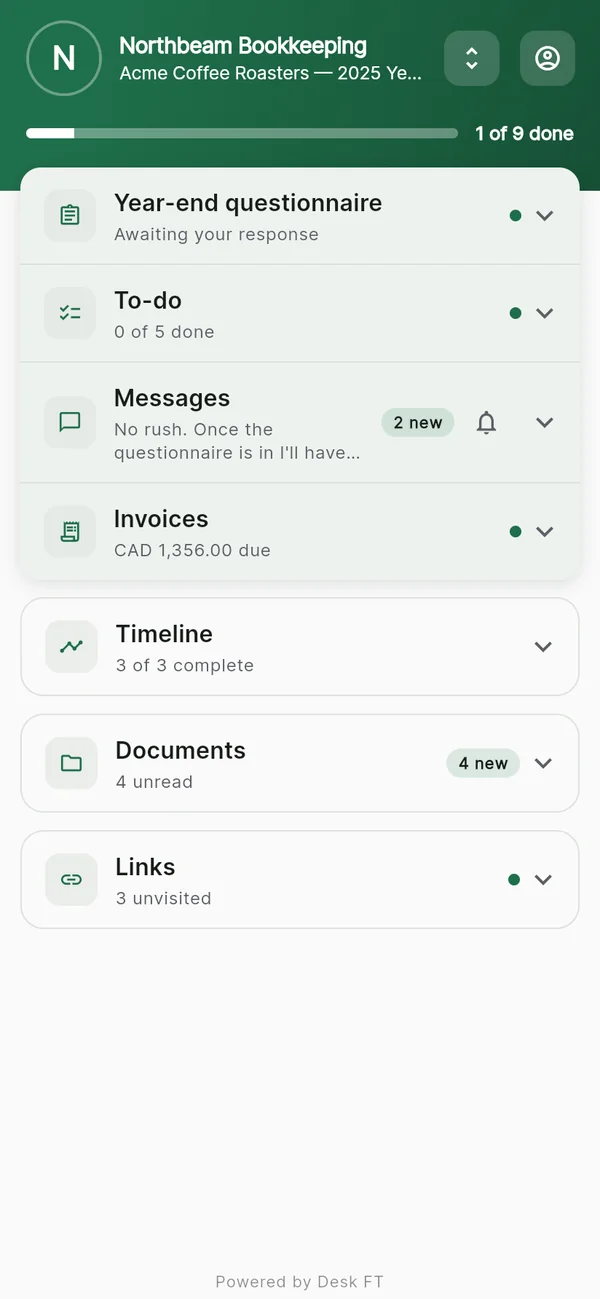
Their desk, your brandWhat's done and what still needs them, at a glance.
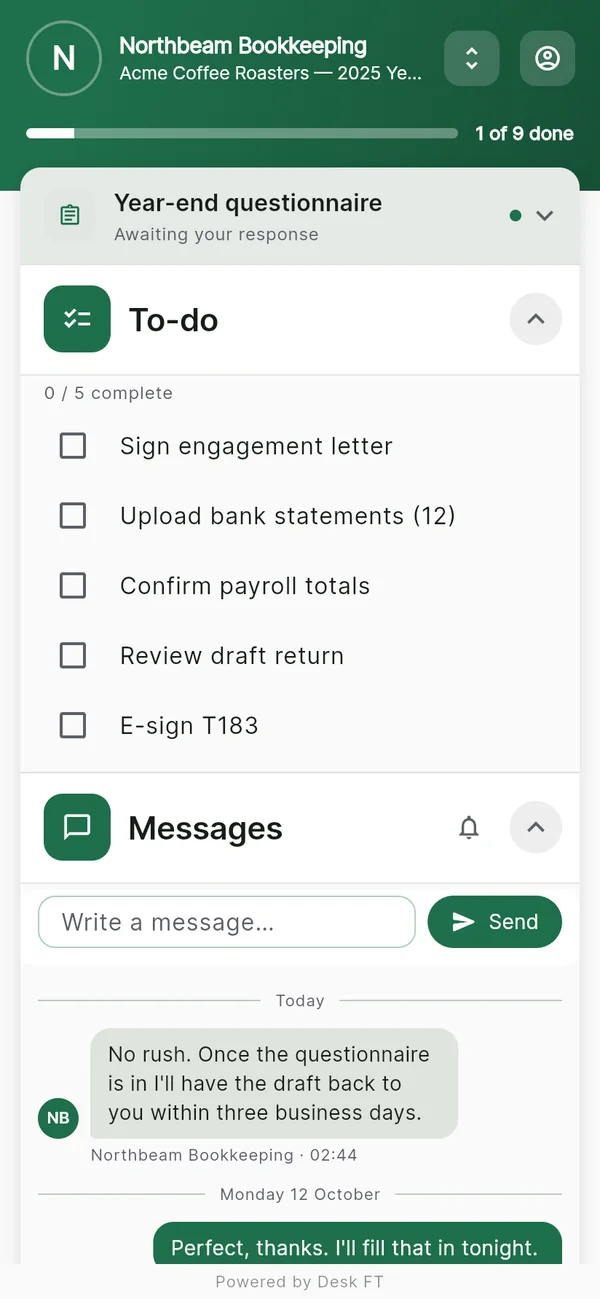
What you needTicked off as it arrives. You're notified for each one.
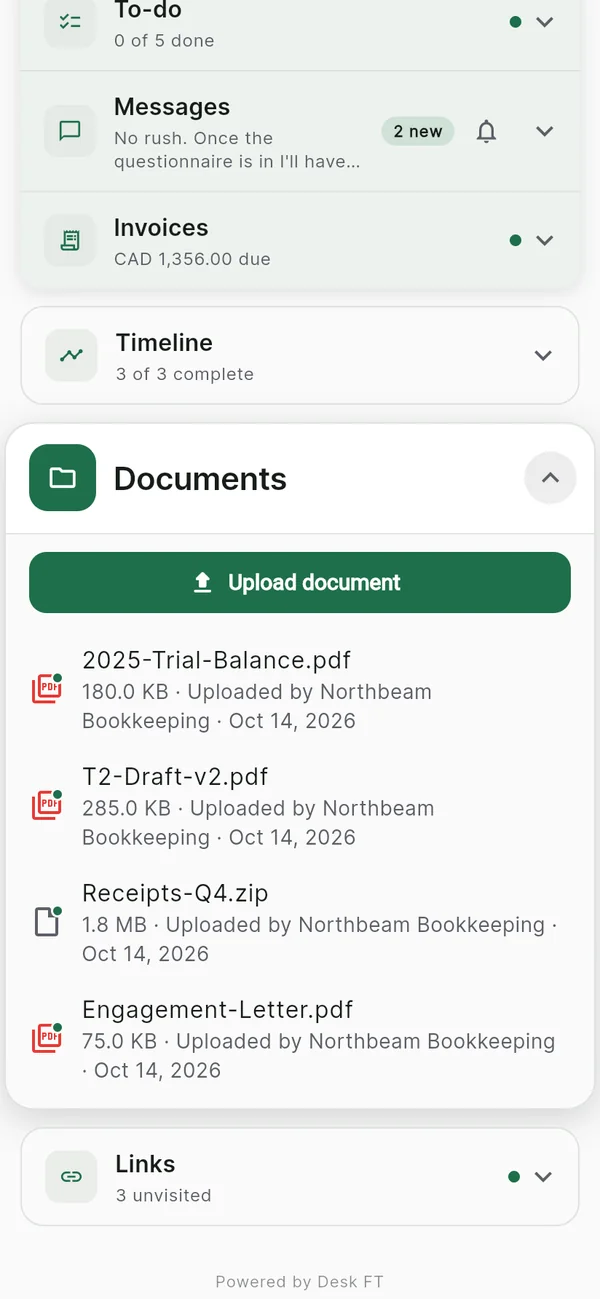
Every file in one placeUploaded from their phone or computer.
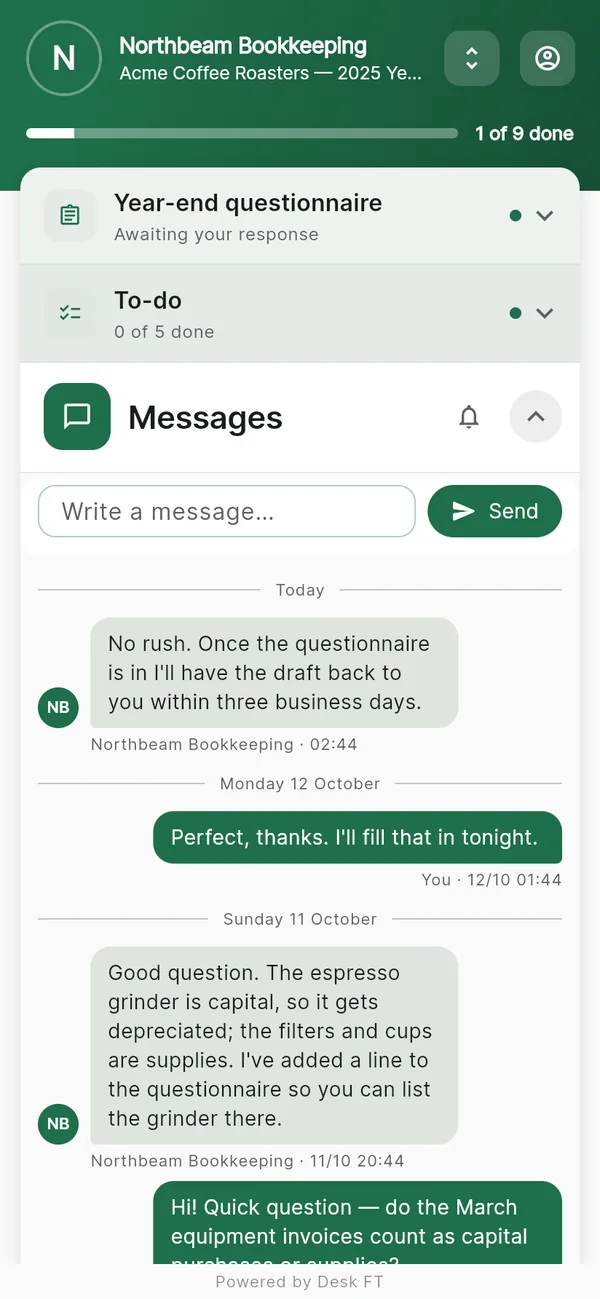
A private conversationNot your personal phone number.
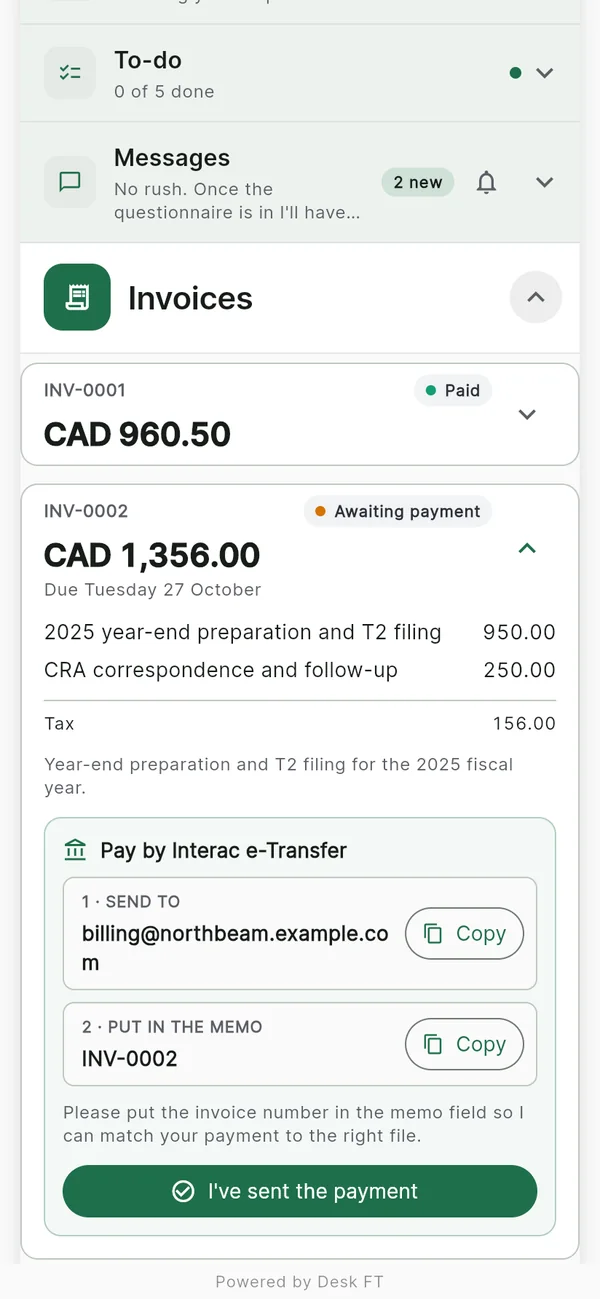
Getting paidBy card or Interac e-Transfer, with reminders.
Screens from the Desk FT app, showing an example bookkeeping practice. See every feature →
Each desk type comes with the checklist and timeline that kind of client needs. Edit anything.
Collect slips, statements and answers without the January email chase.
Homework, resources and lesson notes in one place students and parents actually open.
Prepaid lessons: add Appointments and Invoices, sell a package of, say, four lessons as one invoice, and your student books each one from their desk and sees how many are left.
Desk FT for tutors & music teachers →The plan, the paperwork and the check-ins in one place your client opens every week.
Briefs, files, feedback and approvals for each project, without the email thread.
No card and no trial clock. Upgrade when you have more clients than the free plan holds.
All eight modules work on both plans. Pro is billed by the App Store or Google Play, so you subscribe in the iPhone or Android app; the web version uses the same account. Compare plans →
No. Your client can open their desk in any web browser. If they'd rather have an app, the free Desk FT app for iPhone and Android adds push notifications. Either way, they see your branding.
Yes. Sign in at app.deskft.com to set up desks, send invites and work with your clients from your desk. The iPhone and Android apps do the same on the go.
Upgrading to Pro happens in the iPhone or Android app, because it's billed by the App Store or Google Play. It's the same account everywhere.
The database runs on Supabase in Oregon, USA, and uploaded files are stored on Cloudflare R2. Everything is encrypted at rest and sent over HTTPS. Only you and the client a desk belongs to can open its files. We never sell your data or use it to train AI. Security · Privacy policy
No. Card payments go straight into your own Stripe account; Stripe charges its standard fees and Desk FT takes nothing. In Canada you can also offer Interac e-Transfer, which goes straight to your bank.
Nothing is deleted. Your workspaces and desks keep working; you just can't create new ones beyond the free limits, and the "Powered by Desk FT" line comes back.
Practice-management suites like TaxDome are built for firms: workflows, e-signatures, tax organizers and staff accounts, priced to match. If you need all of that, they're the better fit.
Desk FT does one job: a branded place where each client sees what you need, sends files, messages you and pays. Compared with email and a shared drive, everything for a client is in one place, and both of you know what's still outstanding.
Desk FT is built by one person, in Canada. When you email, you're writing to the person who builds it, and what you ask for shapes what gets built next. [email protected] · About
Free for your first two clients. Set up in a few minutes.
Scan with your phone to get the app.